ICS Editor: edit ICS files and Google Calendar exports in your browser
Open your ICS file or Google Calendar’s ZIP export, see every calendar and event, edit, filter and split them – and download files under 1 MB for import. CSV and Excel work too.
Stays on your device. Nothing is uploaded.
How the ICS Editor works
What the ICS Editor does
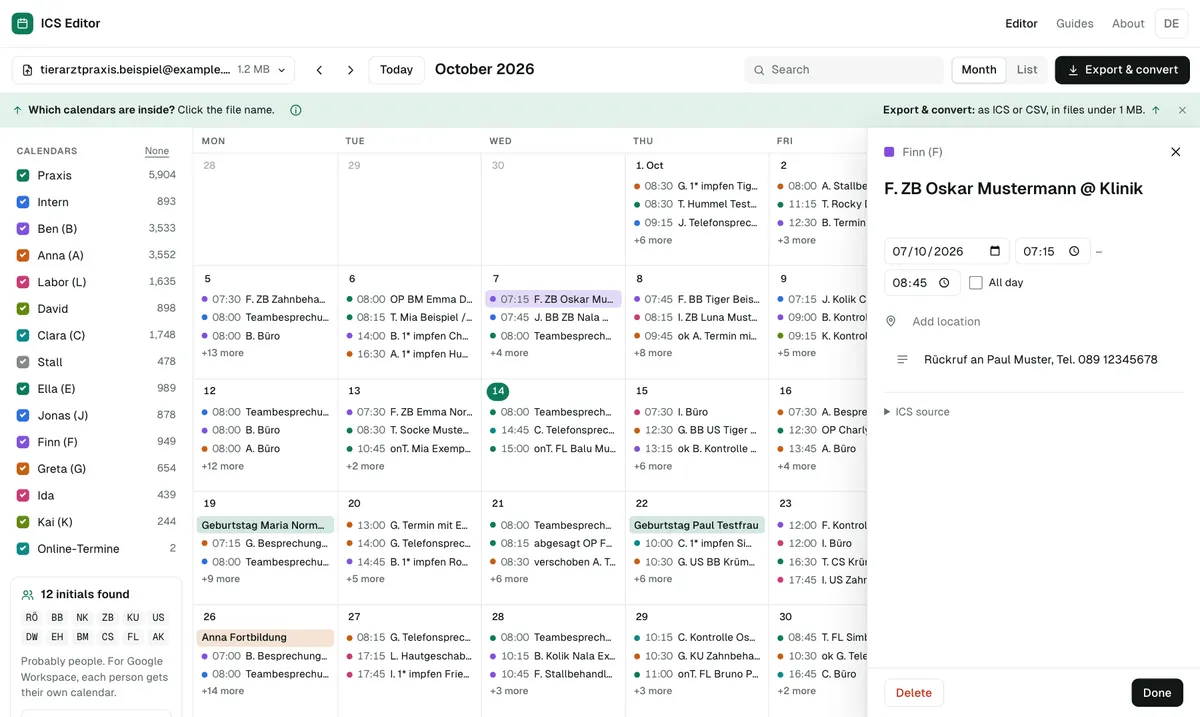
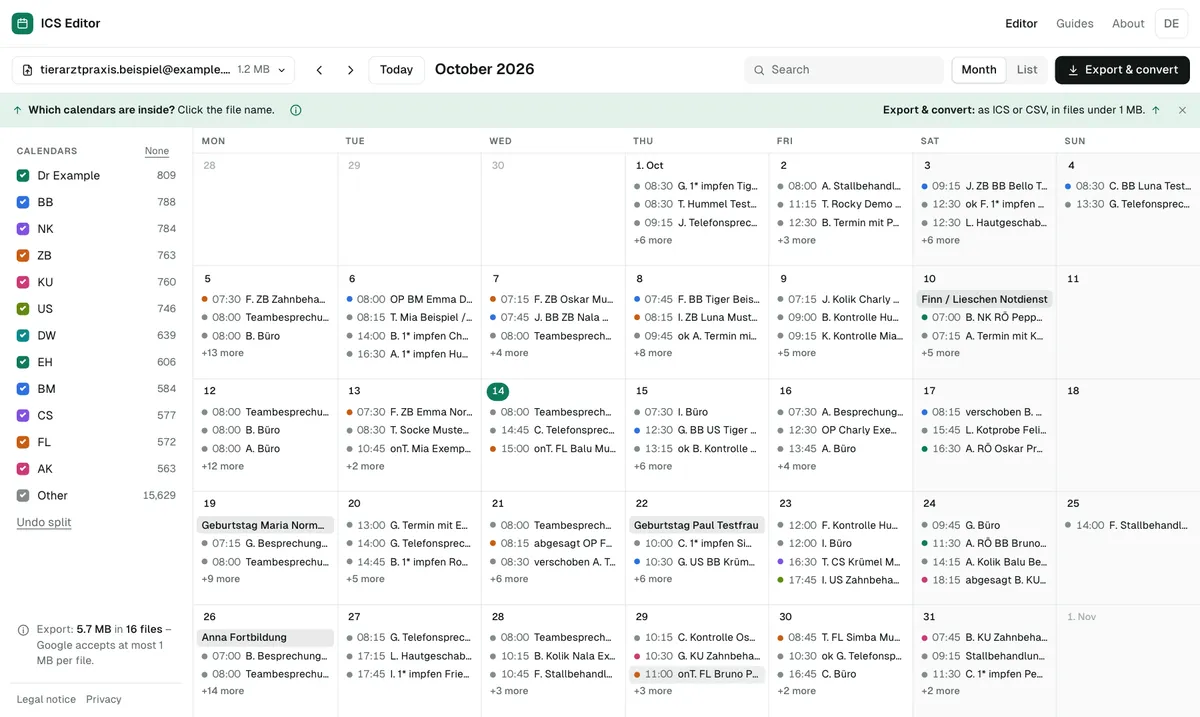
See every calendar
Shows each calendar in the file with its events, date range, size and time zone – tested with a real Google export of 9.6 MB and about 27,000 events.
Edit events
Change title, time, location and description, delete events or move them to another calendar – in the list or month view.
Detect sub-calendars
Finds staff initials, event types and categories and turns them into separate calendars in one click.
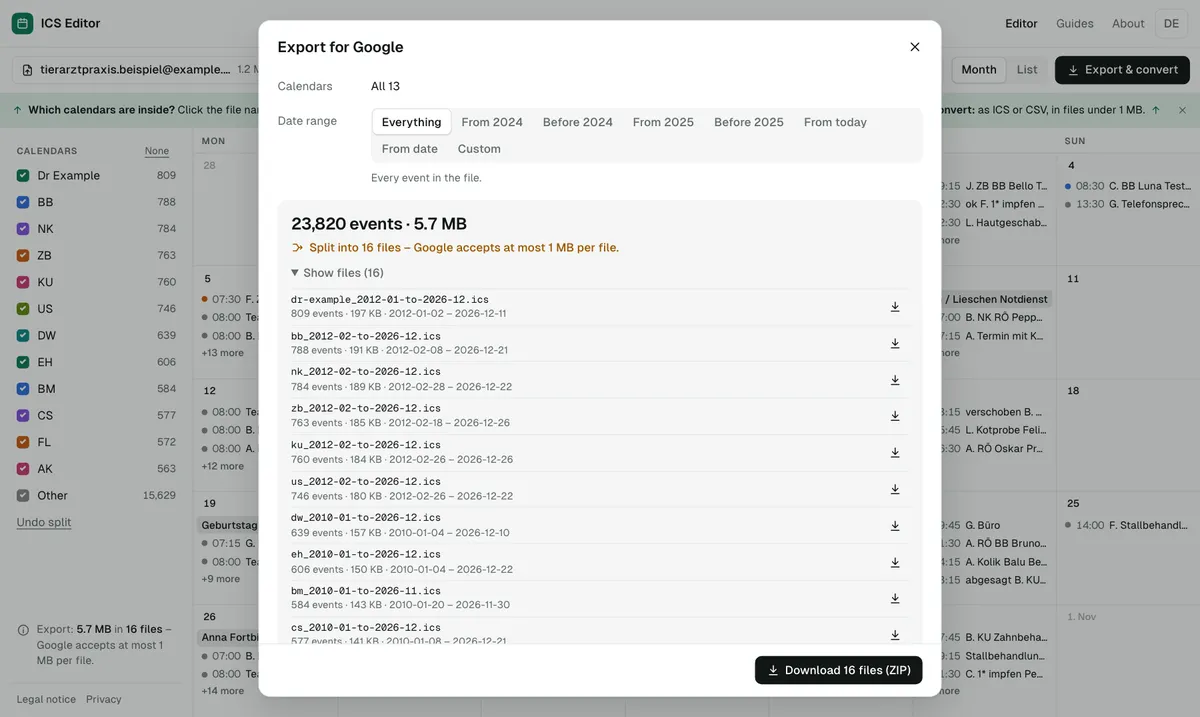
Get under 1 MB
Automatically splits into parts under 950 KB – optionally with at most 999 events per file. Recurring events stay together with their exceptions.
Privacy
Hide phone numbers and email addresses, drop housekeeping data – the file never leaves your device.
CSV & Excel
Converts spreadsheets – including semicolon files, European date formats and birthday lists – to ICS or Google CSV.
Frequently asked questions
Can I import the events on my phone?
No. Google Calendar only lets you import on a computer, not on a phone or tablet. You can still edit and prepare the file with the ICS Editor on your phone.
How do I edit an ICS file?
Open the file in the ICS Editor. You see all events as a list or month, can change title, time, location and description, delete or move events, and then download a new ICS file. Everything happens in your browser.
Can I open an ICS file without Outlook?
Yes. The ICS Editor shows the calendars, events, recurring events and time zones of an ICS file right in your browser – no Outlook, no sign-in, no upload.
Is my file uploaded?
No. Everything happens in your browser. A security policy forbids the page to connect to other servers; there is no server that accepts files, no tracking and no cookies. After the first visit, the editor also works offline.
How can I bulk upload events to Google Calendar?
By importing an ICS or CSV file into Google Calendar on a computer. Each file can be at most 1 MB. The ICS Editor gets your file into the right format and splits large files into parts under 1 MB.
Can the ICS Editor split a calendar across several people?
Yes. It detects, for example, staff initials in event titles and can create one calendar per person. You can also move single events by hand.
As of 7 October 2026 · Source: Google Calendar Help: Import events to Google Calendar