Split a Google Calendar – e.g. one calendar per employee
You split a Google Calendar by exporting it as ICS, distributing the events across several files by person, keyword or date range, and importing each file into the right calendar or account. The tool detects what the calendar can be split by – such as staff initials in event titles – and keeps every file under Google’s 1 MB limit.
As of 7 October 2026 · Source: Google Calendar Help: Import events to Google Calendar
Step by step: distribute a shared calendar across people
- Export the calendar
In Google Calendar on a computer: Settings → Import & export → Export. You get a ZIP file with one ICS file per calendar. - Drop the ZIP into the tool
The tool shows how many calendars are in the file and, for each, the events, date range, size and anything unusual. - Choose how to split
On the left the tool shows what it found – for example 12 sets of initials in titles. Clicking “Split” opens the list: tick or untick initials, give each a name (e.g. “Dr Example”) and create the calendars. - Review
Each new calendar now appears on the left with its colour and event count. Events with two sets of initials go into both calendars, events without initials into “Other”. You can move single events to another calendar with a click. - Download and hand out
Under “Export & convert” you get one file per calendar (in parts if needed). Each person signs in with their own account on a computer, creates a new calendar and imports their file.
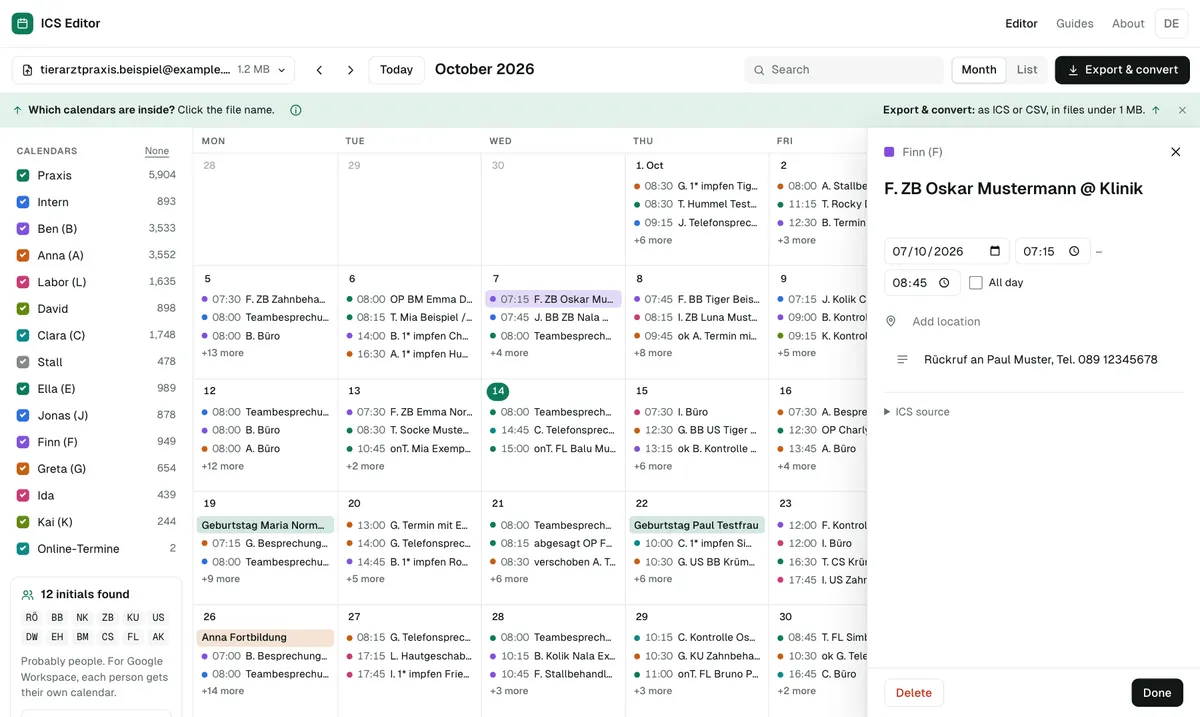
Typical case: from a shared calendar to individual Workspace accounts
Many practices, clubs and small businesses have planned in one Google Calendar for years – who is responsible is written as initials or a name in the title. With Google Workspace, everyone gets their own account. The old calendar then has to be distributed across those people.
The tool automatically searches your export for features suitable for splitting: initials in capital letters at the start of titles, recurring event types, categories and organizers. It also shows how many events take place at the same time – many parallel events suggest that several people plan in the same calendar.
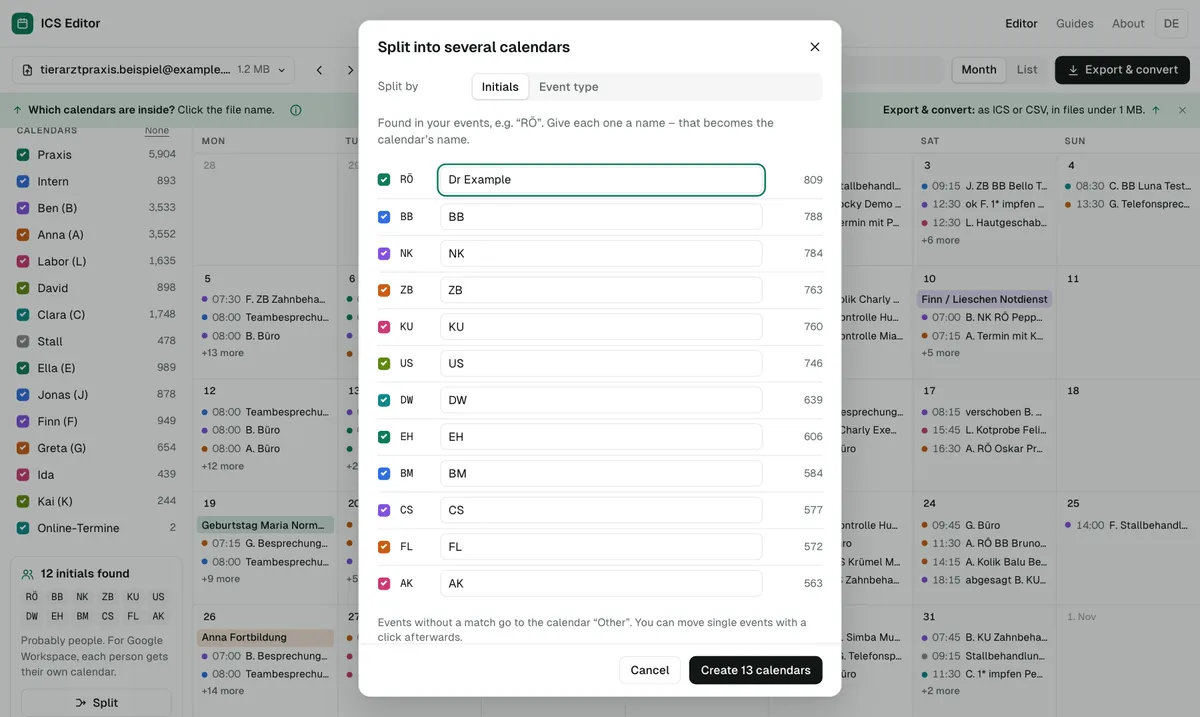
Real-world example: 17 sets of initials in one shared calendar
In the real Google export of a veterinary practice (about 27,000 events, analysed locally only), the ICS Editor found 17 sets of capital-letter initials covering 39% of the events together. One click on “Split” produced 18 target calendars – one per set of initials plus one for the rest. About 4,000 events carried two sets of initials and could go into both calendars. Whether a set of initials really is a person is your call: the tool shows the count and date range for each. Own test, October 2026.
What you can split by
| Feature | Example | Good for |
|---|---|---|
| Calendars in the file | ZIP export with several ICS files | handing out sub-calendars |
| Initials or name in the title | “T. AK check-up”, “Dr Example – vaccination” | one calendar per employee |
| Start of the title | “Online …”, “Surgery …” | separating event types |
| Category or organizer | category “Training” | exports from Outlook and other apps |
| Year | 2024, 2025, 2026 | separating archive and current calendar |
What to watch out for
- Guests and conference data aren’t imported by Google – invitations may need to be sent again.
- Not too many calendars at once: for Workspace accounts, Google mentions a restriction if more than 60 calendars are created in a short period.
- Import into a new calendar first: that way a failed import can be deleted in one go – see undo an import.
- Privacy: if events contain patient or customer data, you can hide phone numbers and email addresses beforehand.
Frequently asked questions
How do I migrate a Google Calendar to Google Workspace?
Export it as ICS and import it on a computer in the other account. Google doesn’t transfer guests and conference data. If the file is larger than 1 MB, the tool splits it.
What happens to events that list two people?
You decide: they either go into every matching calendar or only into the first. The tool shows how many events are affected.
Do recurring events survive the split?
Yes. A series stays in the same file together with its changed occurrences and is imported as a real series.
Sources
- Google Calendar Help: Import events to Google Calendar
- Google Calendar Help: Create a new calendar
- Google Workspace Help: Avoid Calendar use limits
- Google Calendar Help: Fix problems importing
All information as of 7 October 2026.