Google Calendar import file too large? Here’s how to import it anyway
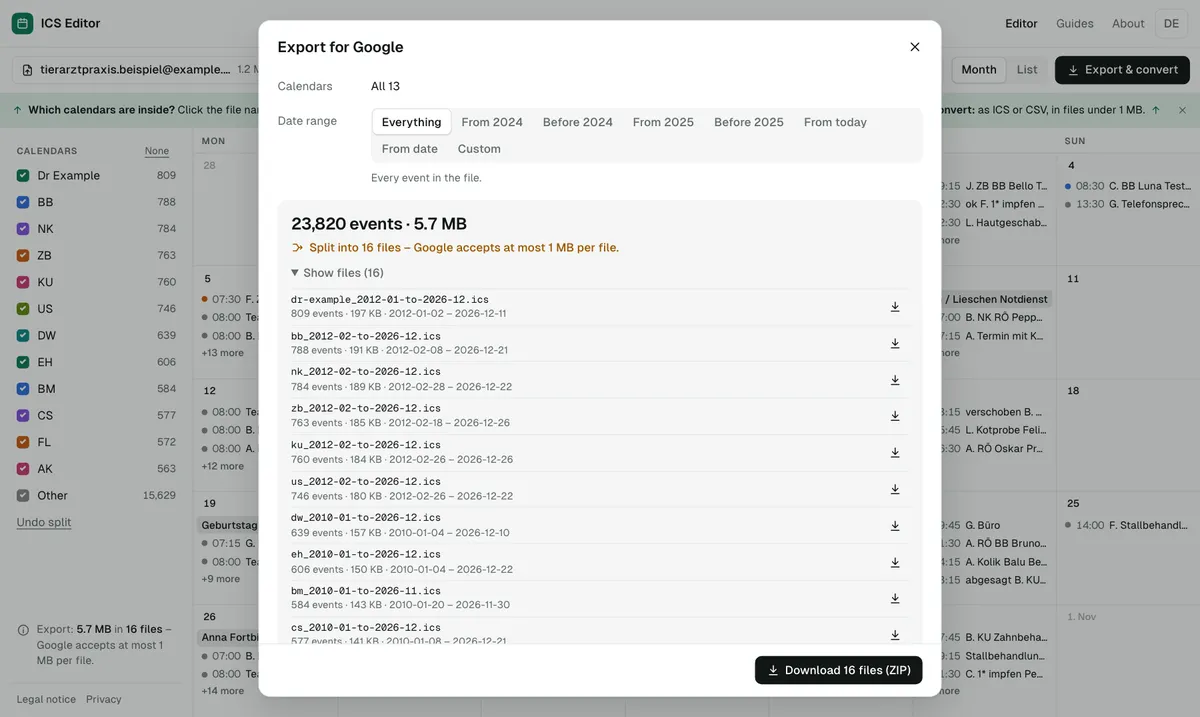
Google Calendar only imports files up to 1 MB. If your CSV or ICS file is larger, you usually see the message “Google Calendar is temporarily unavailable”. The fix: shrink the file by keeping only the date range you need, or split the CSV file so that every part stays under 1 MB.
As of 7 October 2026 · Source: Google Calendar Help: Fix problems importing
Step by step: shrink or split a CSV file
- Open the file in the tool
Drop your CSV, Excel or ICS file (or Google’s ZIP export) into the tool. You instantly see its size, how many events it contains and whether it is over 1 MB. - Shrink it
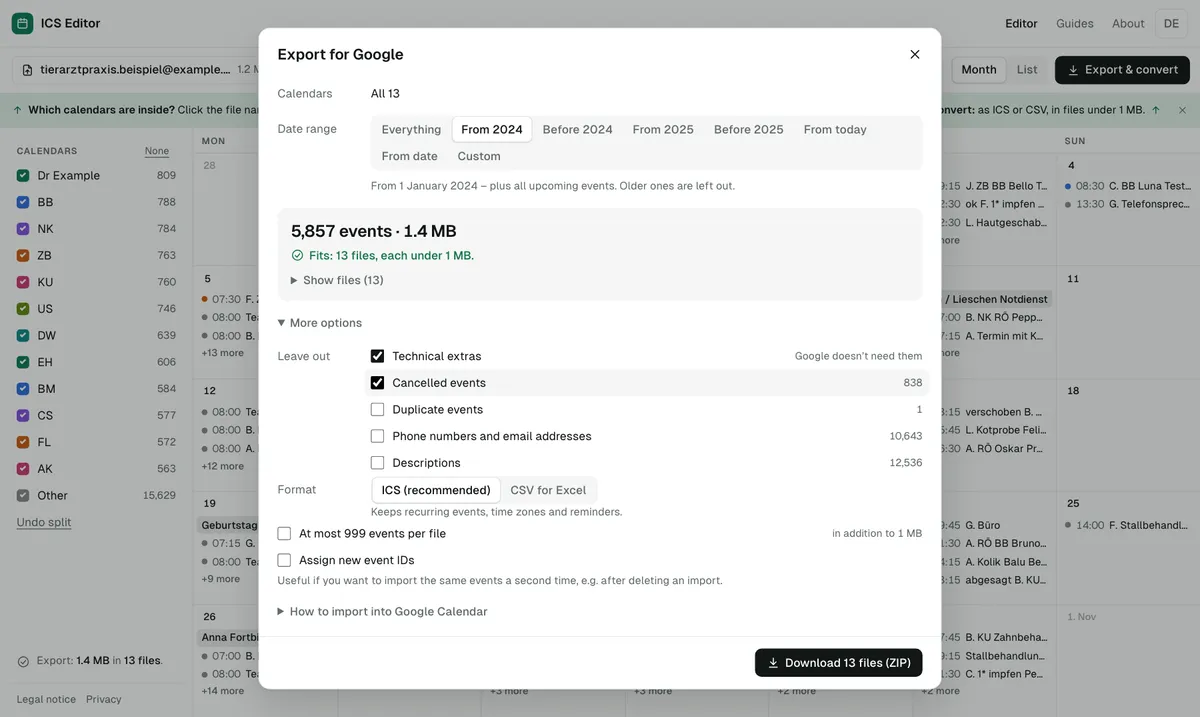
Tick only the years you really need – for example 2024 to 2026. You can leave out cancelled events, descriptions and pure housekeeping data. - Check the traffic light
With every change it shows, to the byte, whether everything fits in one file or how many parts are needed. - Download the parts
Each part is smaller than 950 KB and can be imported on its own. Recurring events stay together with their exceptions. - Import on a computer
In Google Calendar, create a new calendar first, then import each part separately: Settings → Import & export.
What “Google Calendar is temporarily unavailable” means
According to Google, this message usually appears when the import file is too large. Google Calendar works with files of 1 MB or smaller. Google suggests exporting a shorter date range from the original application or splitting the file into smaller files – which, in Google’s words, requires manually editing the CSV or ICS code.
That is exactly the part the calendar splitting tool does for you: it filters, splits and checks without you touching any code. For all other limits, see Google Calendar limits.
How to shrink a CSV file: what really saves space
| Measure | Effect |
|---|---|
| Limit the date range (e.g. only the last three years) | usually the biggest saving, because old events disappear |
| Leave out descriptions | large if many events have notes |
| Drop housekeeping data (created/modified stamps in ICS) | in our test with a real Google export, 1.9 of 9.6 MB (about 20%) |
| Remove cancelled and duplicate events | small, but a cleaner calendar |
If that isn’t enough, the file is split. The tool splits chronologically, so every part covers a clear date range.
Real-world example: a 9.6 MB Google export
Among other files, we tested the ICS Editor with the real Google Calendar export of a veterinary practice (analysed locally only, without names). The numbers:
| Step | Events | Size | Files for Google |
|---|---|---|---|
| File unchanged | about 27,000 | 9.6 MB | 11 |
| Housekeeping data removed | about 27,000 | 7.7 MB | 9 |
| Only 2024–2026 | about 3,600 | 1.5 MB | 2 |
| Only 2024–2026, no housekeeping data | about 3,600 | 1.2 MB | 2 |
Every file was smaller than 950 KB; reading them back, not a single event was missing. Own test, October 2026.
Why parts under 950 KB and not exactly 1 MB?
“1 MB” can mean 1,000,000 or 1,048,576 bytes. At 950,000 bytes every part stays safely below either. The size shown is exactly the size of the file you download.
Frequently asked questions
Does the 1 MB limit apply to ICS files too?
Yes. Google states the 1 MB limit for both CSV and ICS files.
How many events can a file contain?
Google doesn’t state a maximum number of events per import – what matters is the file size. For Workspace accounts, Google does say that creating more than 100,000 events in a short period can stop you from creating or editing events for a few hours.
Can I import all parts as one ZIP file?
No. You need to unzip it first and import each file separately.
Is my file uploaded when I split it?
No. The tool runs entirely in your browser. A security policy forbids the page to connect to other servers, and there is no server that accepts files.
Sources
All information as of 7 October 2026.